
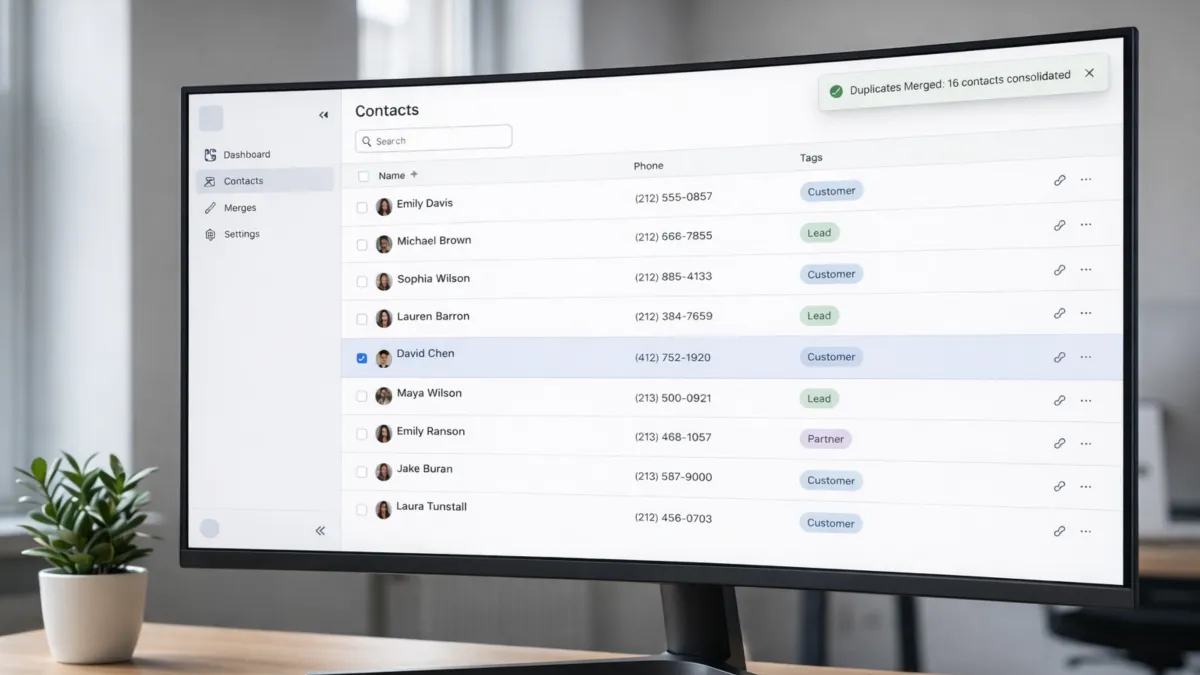
CRM Data Cleanup: Fix Duplicate Contacts and Inconsistent Tags | My Toolbox Pro
If your CRM feels “busy” but results feel random, it usually comes down to one boring problem: messy data. Duplicate contacts split your follow ups, inflate your pipeline, and make reports look better or worse than reality. Inconsistent tags do the same thing, just sneakier, because the system still “works” while your targeting slowly falls apart.
For small business owners, this hits hard because you are already juggling sales, delivery, and inbox chaos. A clean CRM is basically your second brain. A messy CRM is a liar with confidence.
Why duplicates and messy tags quietly wreck revenue
Duplicate records create multiple versions of the same person, which means your texts, emails, and tasks can fire twice or not at all. It also breaks attribution, so you start thinking a campaign “worked” when it really just hit the same lead three times. Over time, teams stop trusting the CRM, then stop using it consistently, and the data decays faster.
Poor CRM data quality is a proven revenue risk. In 2025, 37% of CRM users reported revenue loss due to bad data, and 76% said less than half of their CRM data is accurate or complete. (Source: Validity)
If you want help getting your contacts cleaned up and your tags organized into a system your team will actually use, book a demo with My Toolbox Pro. We will help you set up a clean structure so your follow ups, automations, and reporting run on solid data instead of chaos.
Step 1: Find duplicates the way they actually happen
Most people look for duplicates by name only, then miss the real mess. In the real world, duplicates show up as “same phone, different email,” “same email, nickname spelling,” or “same person, different lead source import.” So your first pass should focus on the identifiers that stay stable: phone number, email, and company name for B2B. After that, check for formatting differences that create fake “new” contacts, like extra spaces, country codes, and inconsistent capitalization.
Once you identify duplicates, merging needs a rule so you do not accidentally keep the wrong info. Pick a “winner” record based on the most recent activity and the most complete fields, then merge everything into it. The goal is to preserve history like conversations, appointments, and notes, while removing extra copies that trigger double actions. When you do this well, your automations get calmer immediately, because they stop tripping over repeated records.
A simple way to keep this from coming back is to standardize data entry at the point of capture and add automated checks that flag likely duplicates before they pile up. That approach is consistently recommended in modern CRM data management guidance because it reduces cleanup work later. (Source: Airbyte)
Step 2: Fix tags by building a naming system people will follow
Tags fail when they become emotional. Everyone makes their own. “Hot lead,” “HOT,” “Warm,” “Follow Up,” “Follow-up,” and suddenly your “Hot Leads” segment is five different lists. The fix is to make tags boring, consistent, and tied to decisions.
Start by deleting or archiving tags that do not drive an action. If a tag does not change what happens next, it is clutter. Then rebuild around a small set of categories that reflect how you run your business, like lead source, service interest, lifecycle stage, and customer type. Keep tags in a clean format that stays consistent, like singular words, consistent casing, and clear prefixes when needed. For example, a prefix style can prevent chaos because it forces tags to sort and group naturally.
After that, map rules so tags do not depend on someone remembering. When a lead fills a form, books a call, replies, gets quoted, or becomes a client, the CRM should apply or update the right tags automatically. When tags are tied to real events, your segmentation gets sharper, your follow ups get more relevant, and your reporting starts matching reality again.
Validity’s 2025 CRM data research shows how fragile CRM data becomes as more people and systems interact with it, with most organizations reporting low confidence in data accuracy and measurable revenue impact when data quality breaks down. (Source: Validity)
Keep it clean with a simple monthly hygiene routine
You do not need a massive “data project.” You need a rhythm. Make cleanup a short monthly habit so you never face a terrifying backlog again. Review new tags created that month, merge fresh duplicates, and spot check the fields your automations depend on most, like phone, email, pipeline stage, and lead source. If you notice a pattern, like duplicates coming from one import or one form, fix the source, because prevention beats cleanup every time.
If you want this to actually stick, tie it to outcomes you care about: fewer missed follow ups, fewer double messages, cleaner pipelines, and more trustworthy reports. That is when your CRM stops feeling like admin work and starts feeling like control.
If you want help getting your contacts cleaned up and your tags organized into a system your team will actually use, book a demo with My Toolbox Pro. We will help you set up a clean structure so your follow ups, automations, and reporting run on solid data instead of chaos.
Explore My Toolbox Pro today.
For more stories and insights, visit My ToolBox Pro Hub.


